


Add the icon to your home screen + turn on notifications to get the latest coupons, news, and useful features!
- Get Great Coupons Get notified instantly when new coupons are available!
- Latest News Notifications Get the latest deals and campaign information! Enjoy shopping!
- Quick Access to Coupons Access your coupons quickly from the home screen icon!
- Works Offline View coupons even without internet connection!
Setup Instructions
How to add to iOS home screen
-
1) Tap the share icon in the browser

Safari
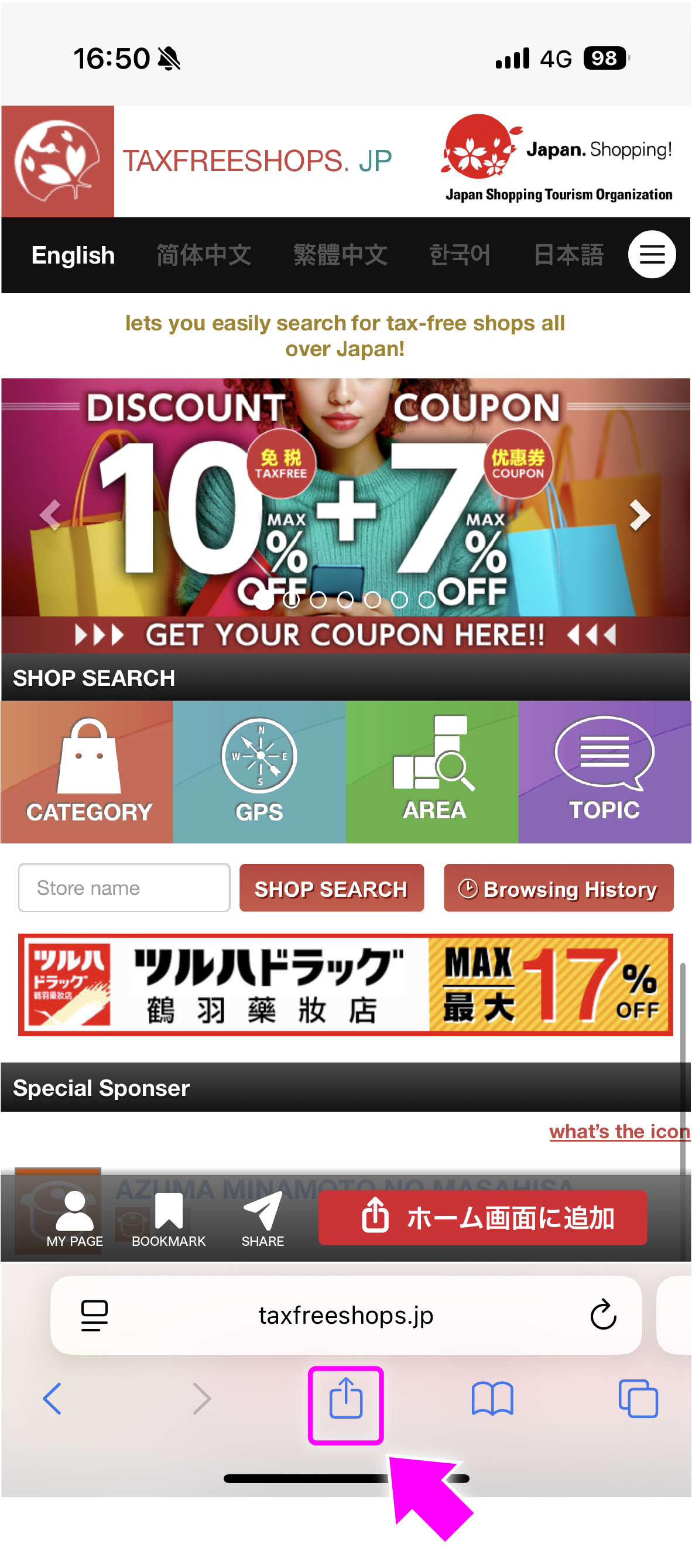
Chrome
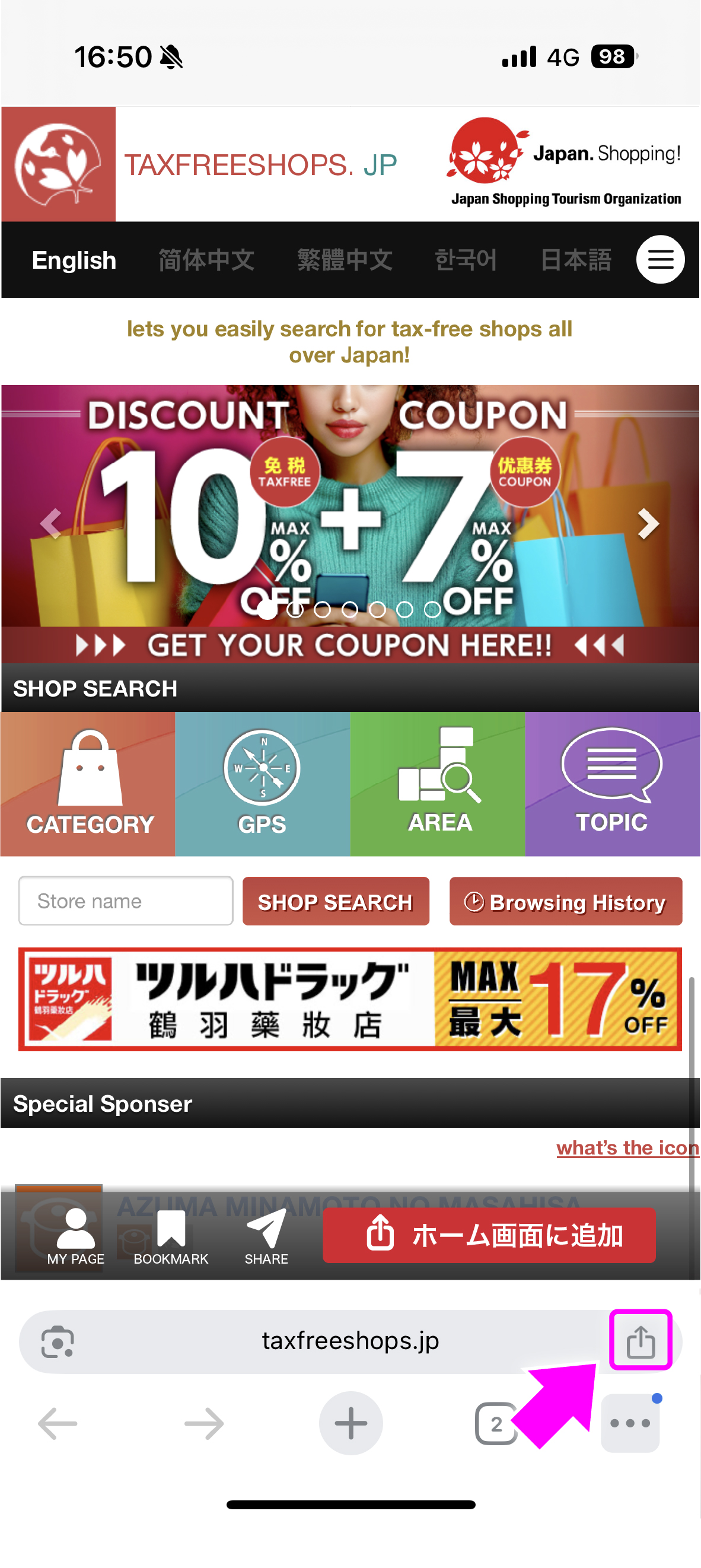
Located next to the URL.
-
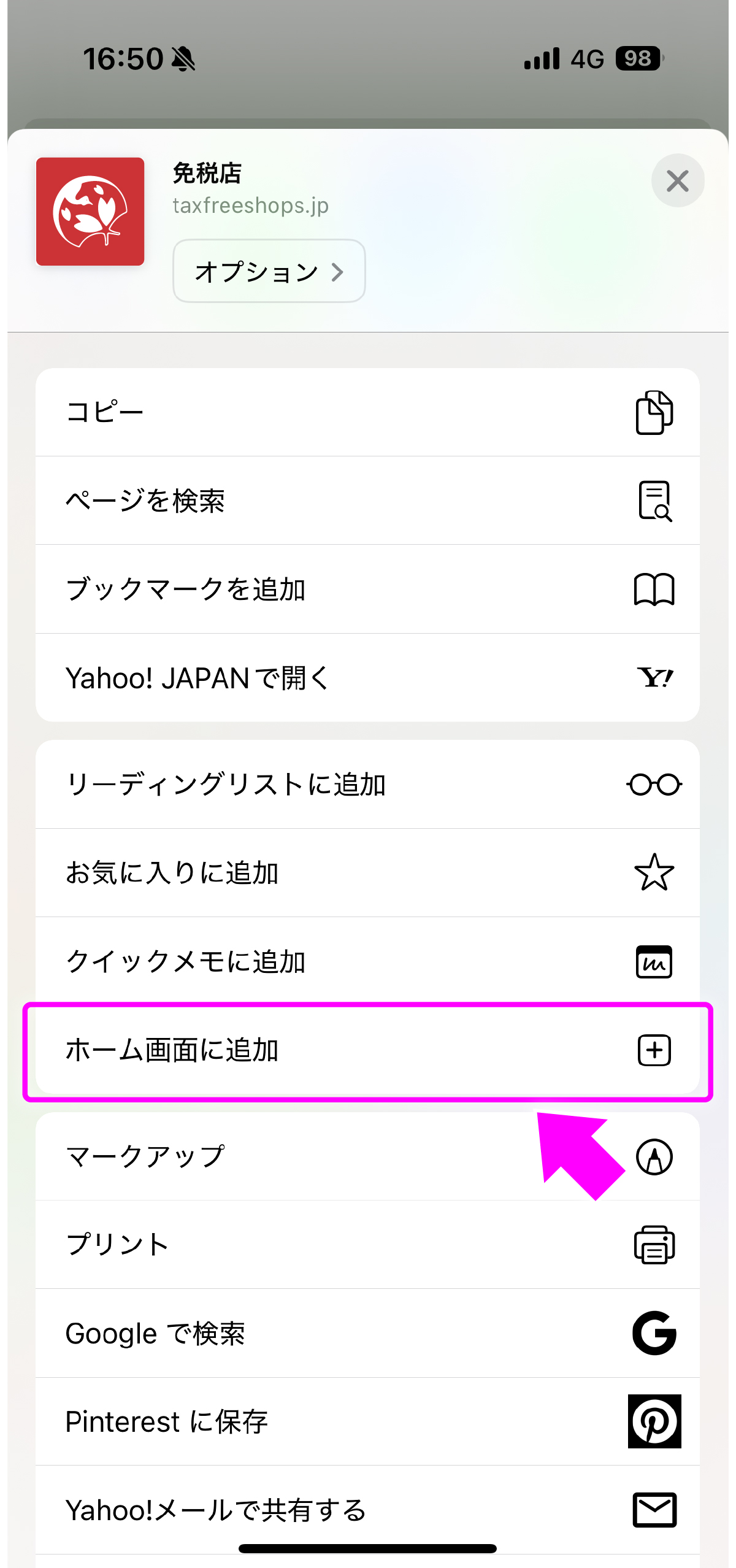
2)Select "Add to Home Screen"
-
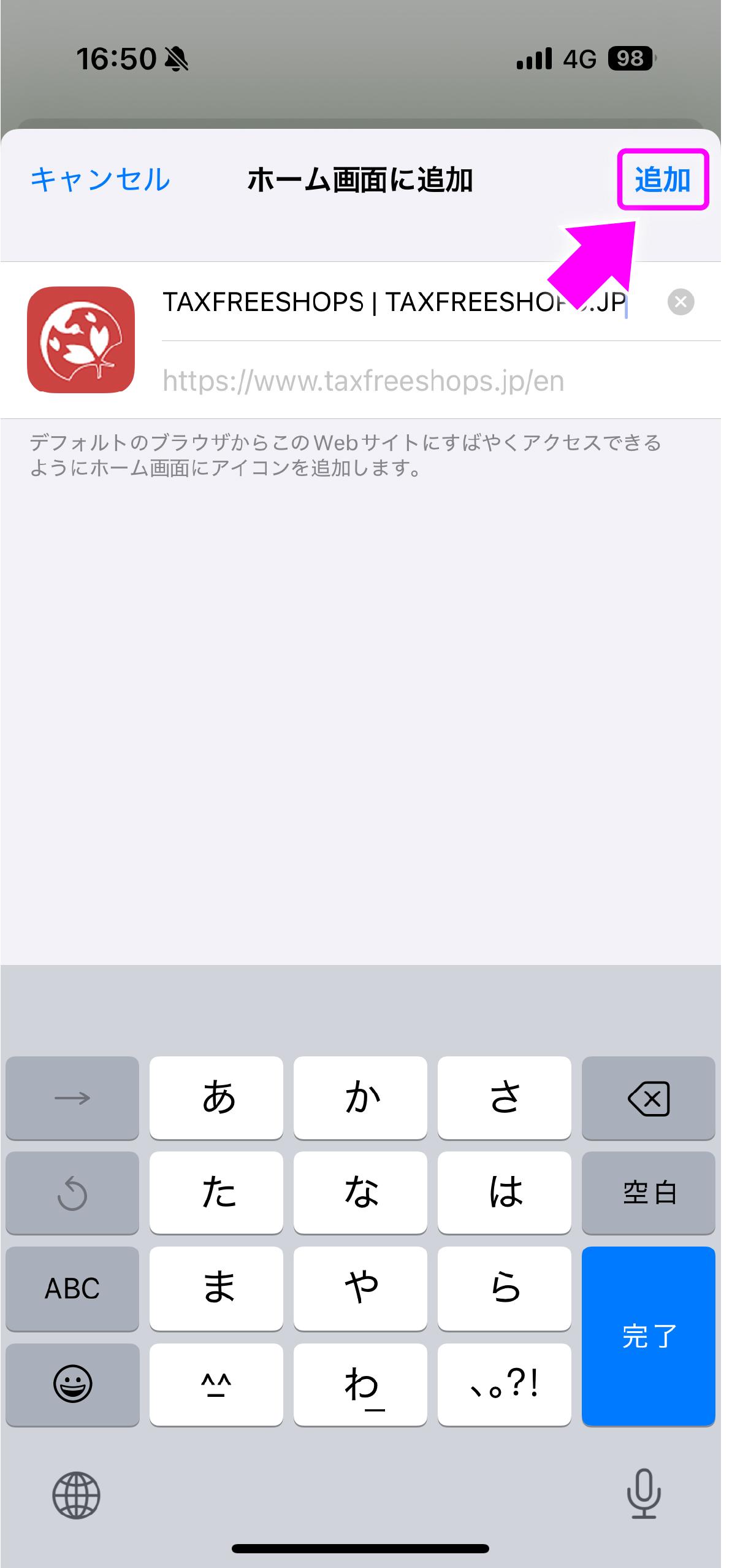
3)Tap "Add"
-
4)Added to home screen
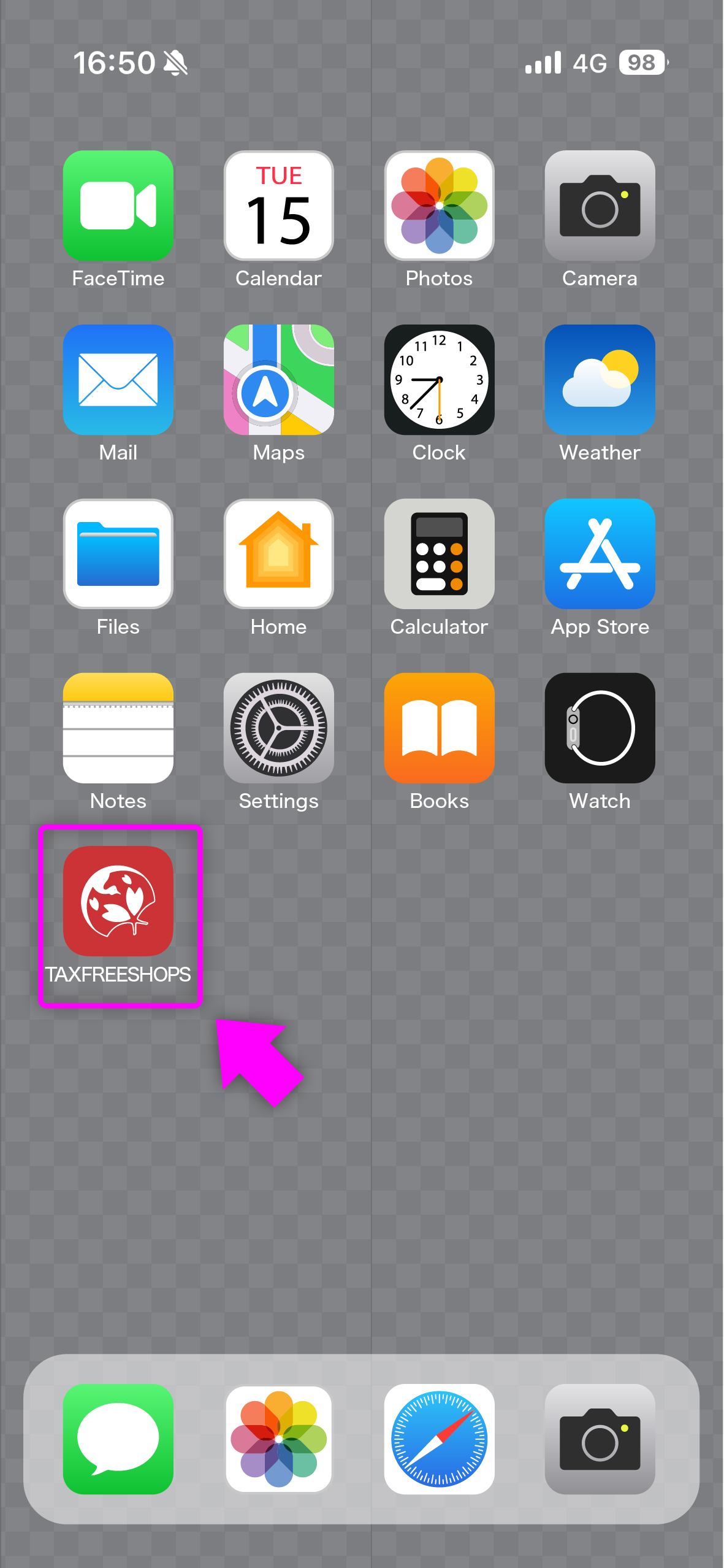
Tap the icon on your home screen to launch the site.
-
5)Select "Receive"
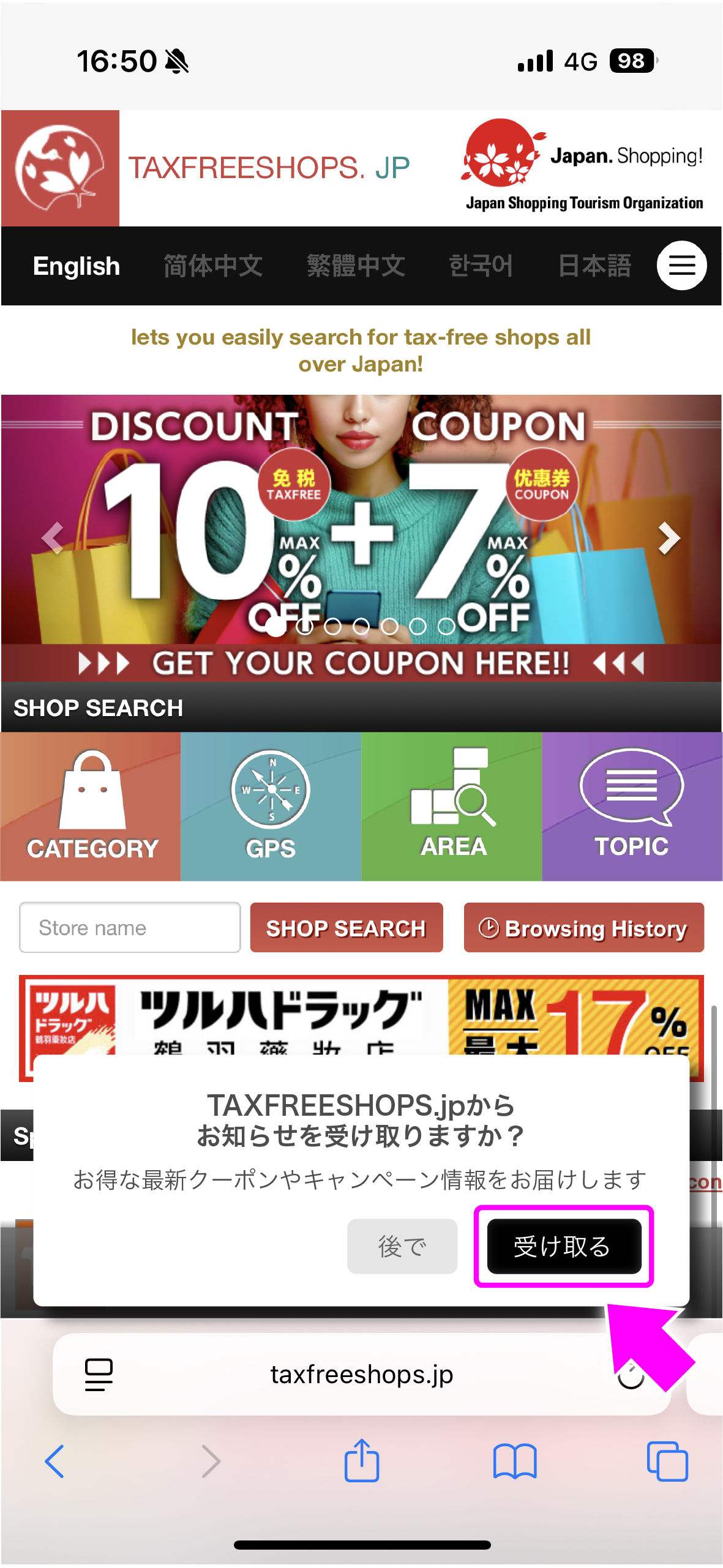
We will send you the latest coupons.
-
6)Select "Allow"
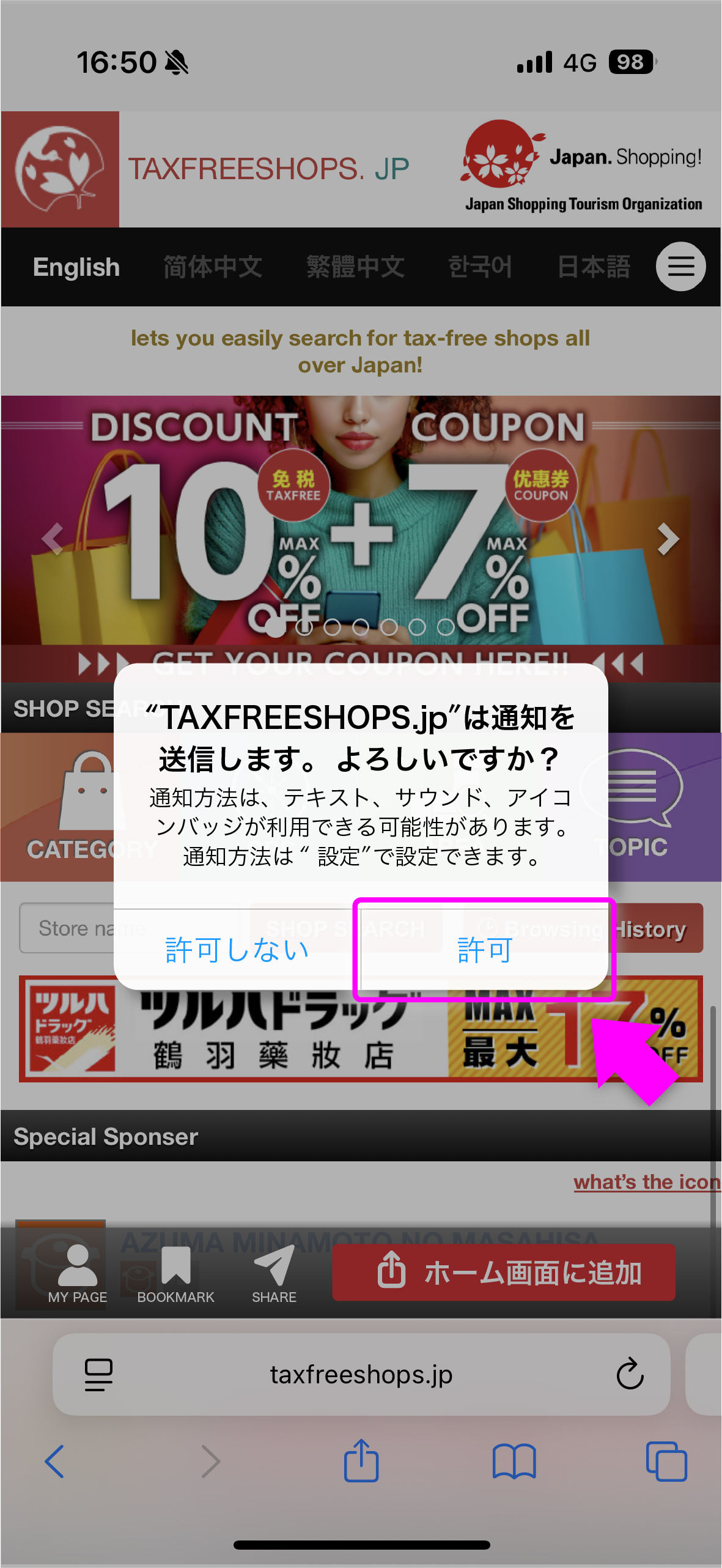
Please receive the latest coupons.
Now you can get the latest information, and when using coupons, you can quickly access them from your home screen!
How to add to Android home screen
-
1)Tap the three dots next to the URL to open menu
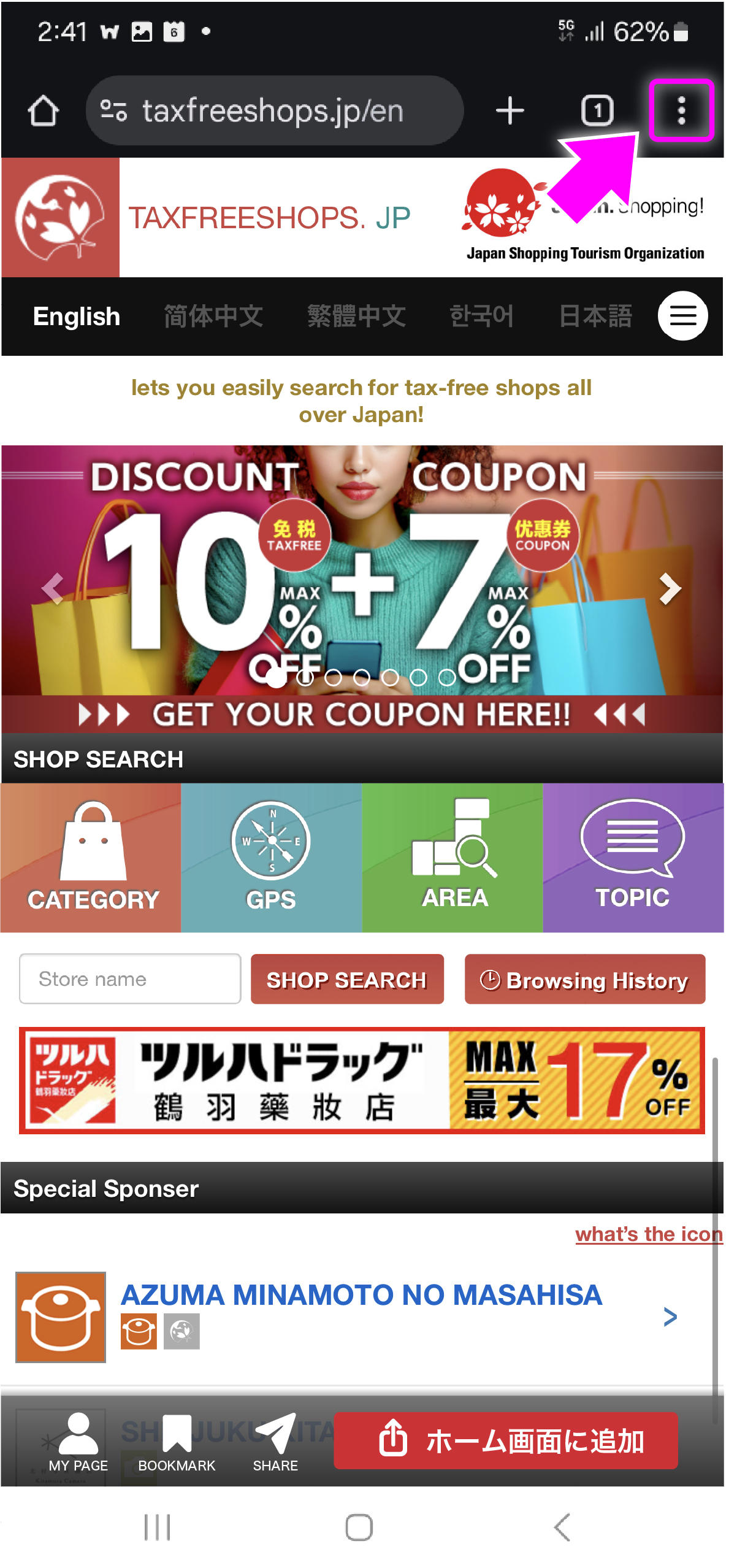
-
2)Select "Add to Home screen"
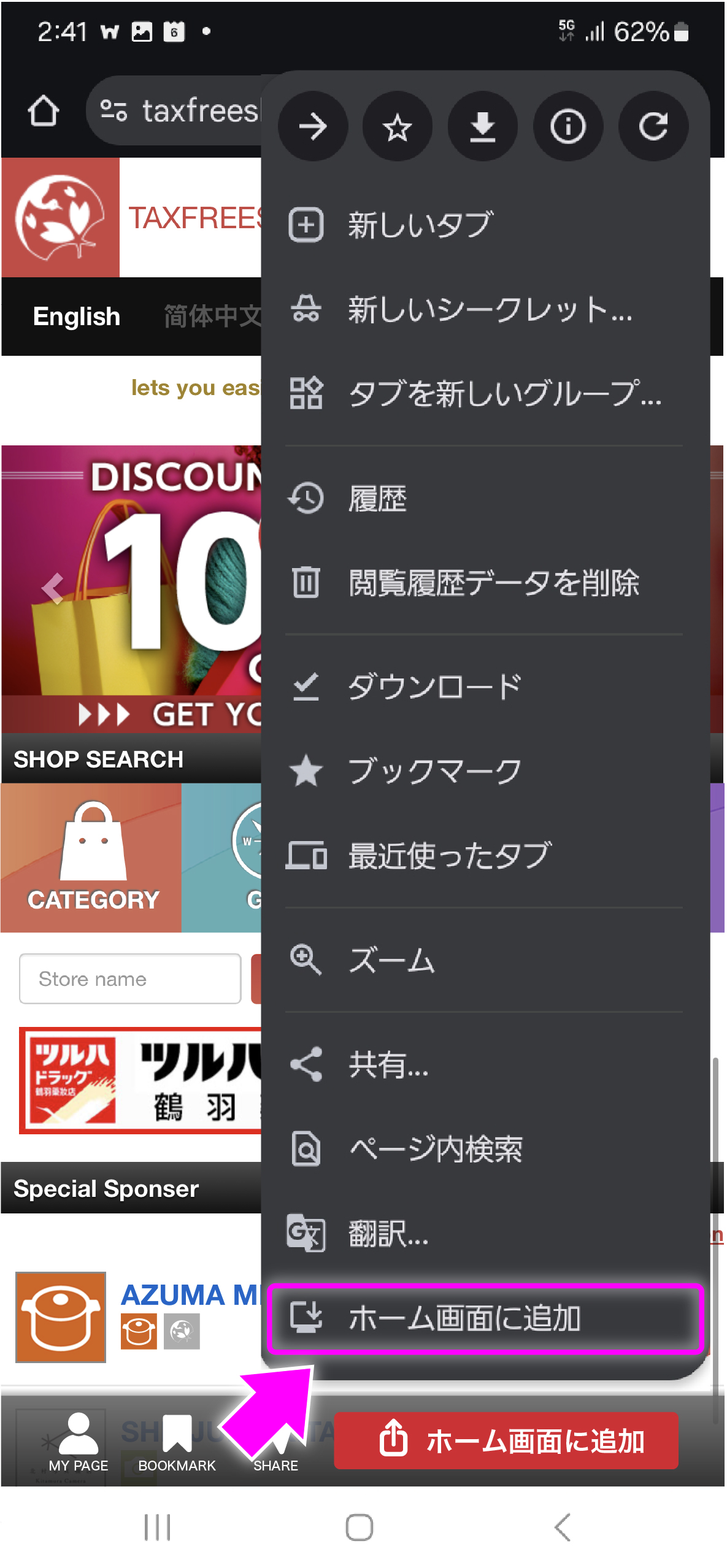
-
3)Tap "Install"
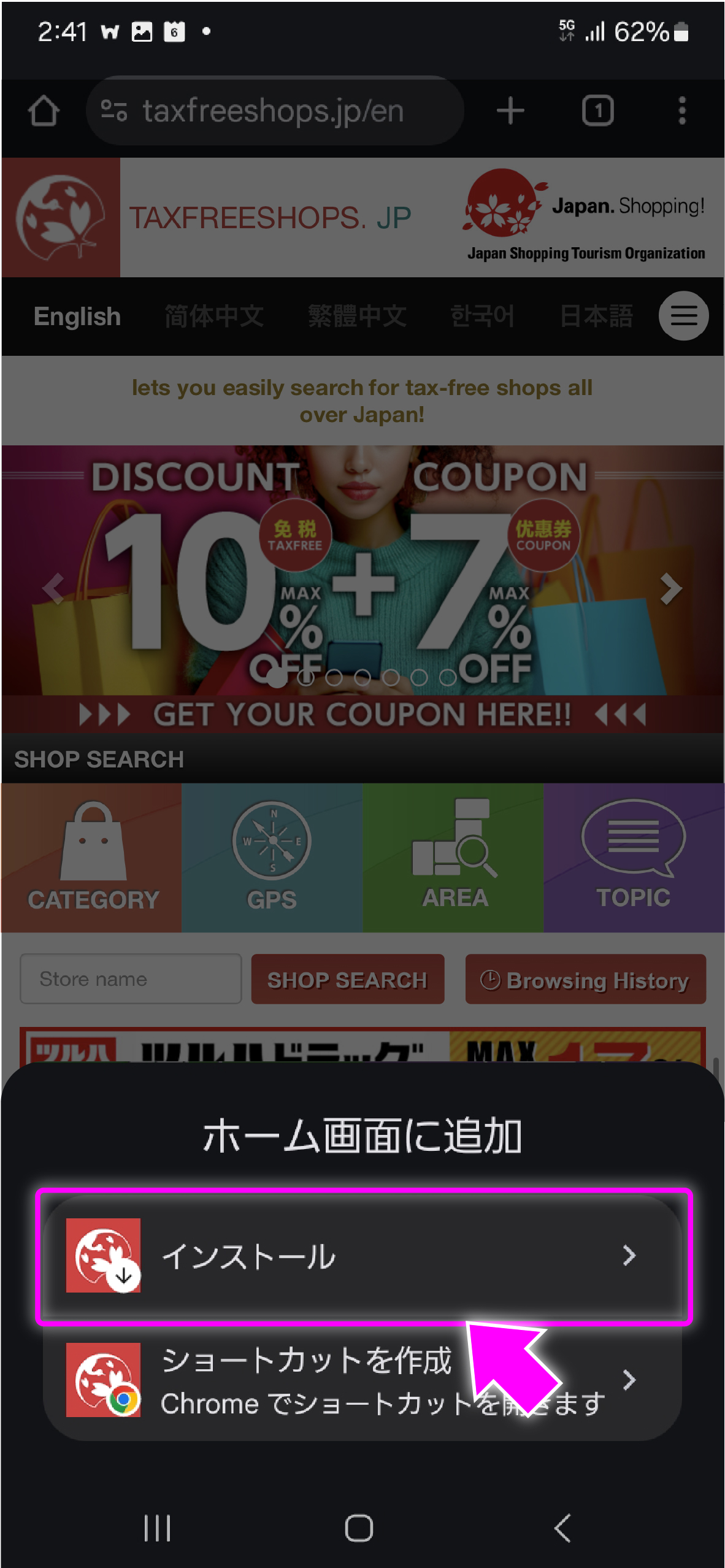
-
4)Confirm and tap "Install"
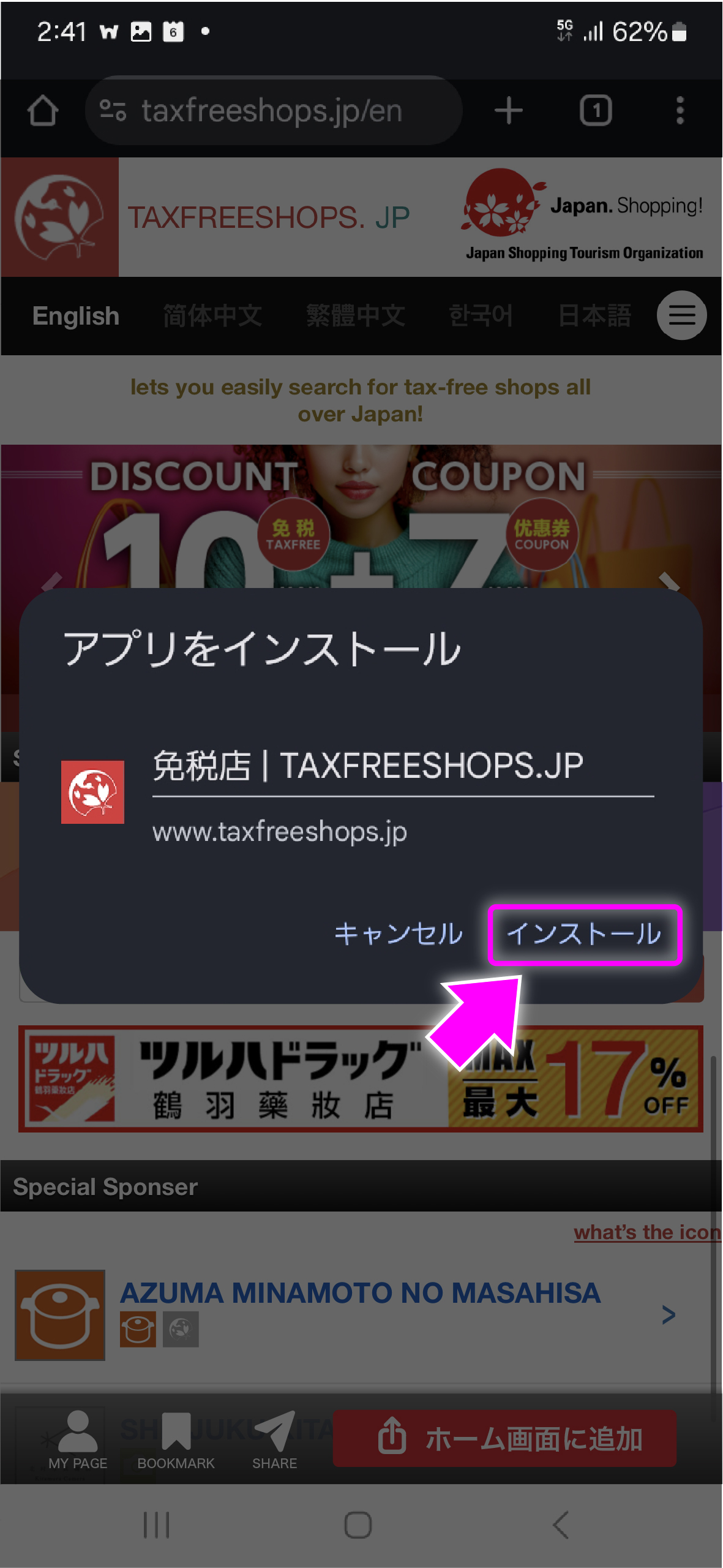
-
5)Added to home screen!
Tap the installed icon. You are almost ready to get the latest coupons!
-
6)Select "Set up"
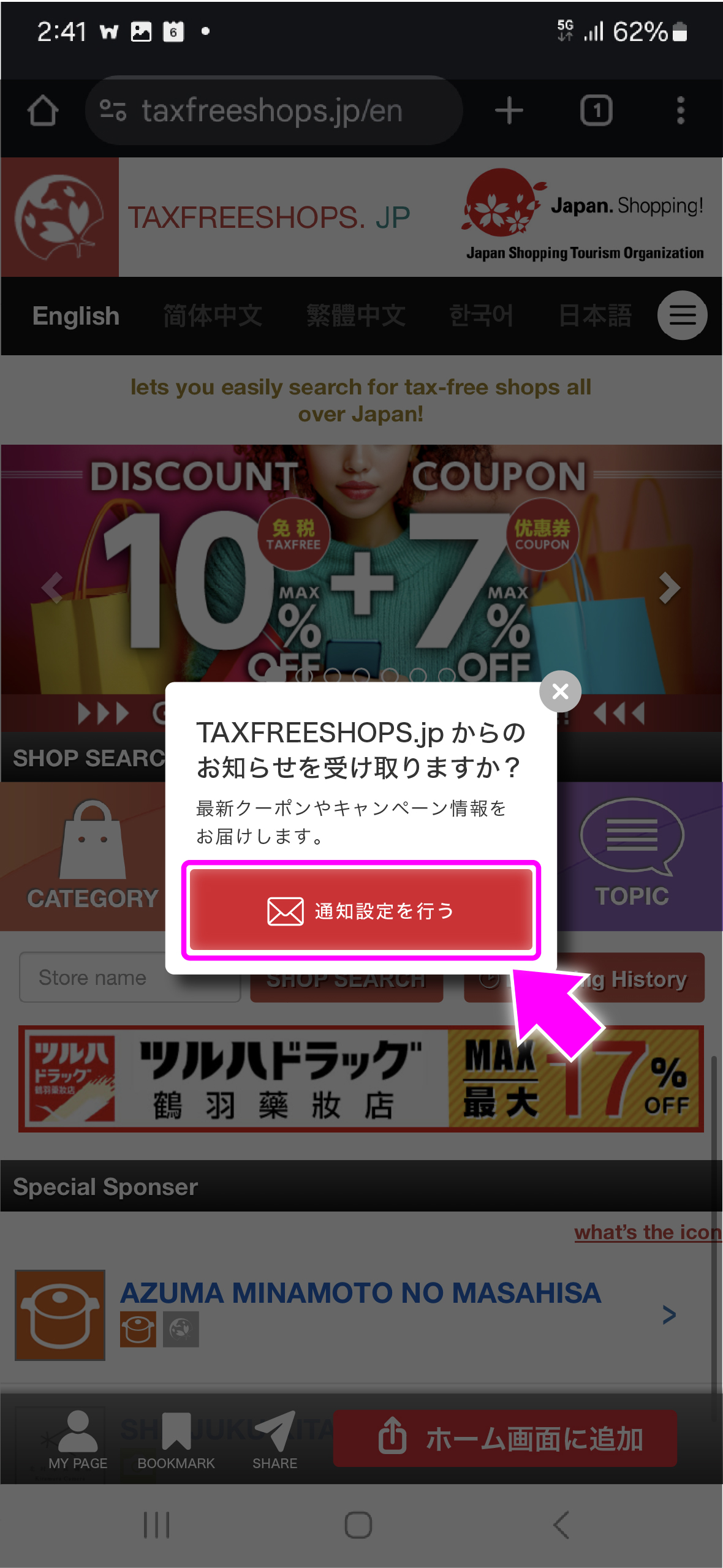
Configure settings to receive the latest information.
-
7)Select "Allow"
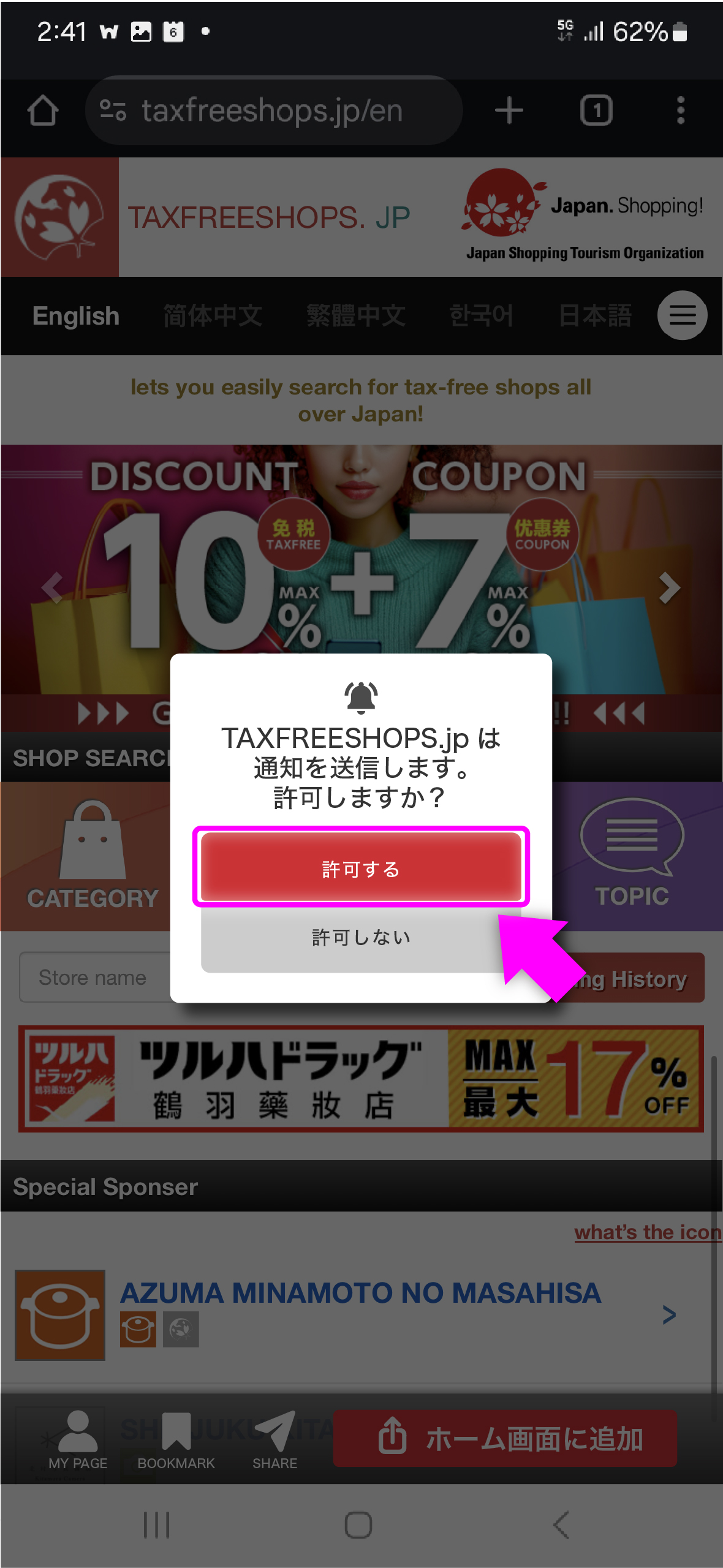
Please allow notifications from TAXFREESHOPS.jp.
Now you can get the latest information, and when using coupons, you can quickly access them from your home screen for a smooth experience!